Guide
Knowing which tests to send is half the job, and the guide on which medical reports to send covers that half. This X-ray, MRI and lab report checklist is the other half: how to send each report so the doctor can open it and read it. Scan images, CDs, printed films, blood tests, dates and translations are all here.
Get it right the first time and you save days. A blurred photo of a report, or a CD the doctor cannot open, usually means waiting for a second try before anyone can give you an opinion.
Is the scan report the same as the scan images?
No. Every X-ray, CT or MRI gives you two things. One is the written report, a page or two where a radiologist describes what they saw. The other is the images, the actual pictures of your bones, organs or arteries.
Most people send only the report because it is easier. For a lot of treatments, that falls short. A surgeon planning spine surgery, brain tumour removal or a heart bypass wants the images, since they show details the report never mentions. Send the report as well; both are useful.
A radiologist's description of the scan, on paper or PDF
The pictures themselves, usually as DICOM files
A clear phone photo or the PDF
The download link, or the files copied from the CD
What another doctor saw
What is really there, seen with their own eyes
Simple cases and a first look
Most surgery planning needs the images too
DICOM is the international file format for medical images. Scans on a CD, or in a download link from a scan centre, are nearly always DICOM files. They keep every detail, so a doctor can scroll through each slice, zoom in and measure.
How do I send scans that are on a CD?
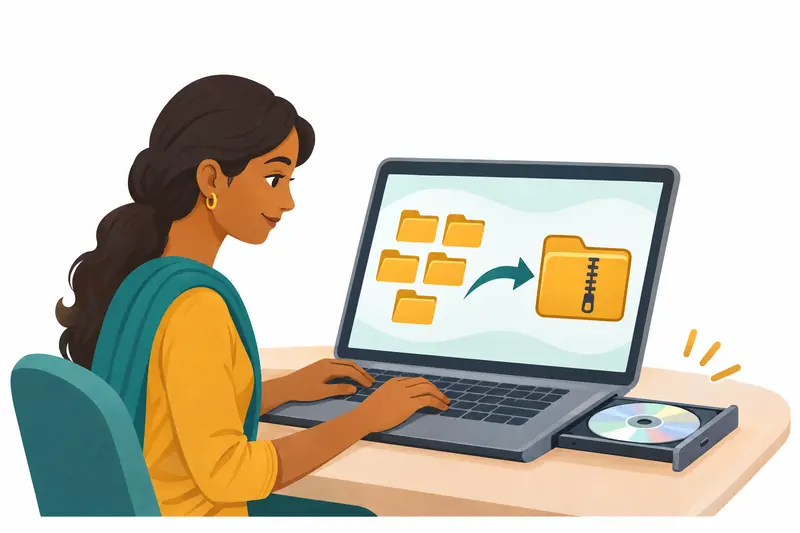
Copy the whole disc, zip it and send a link. That is the short version. MRI, CT and angiogram images usually come on a CD or DVD, now and then on a USB stick, and the disc holds the image files plus a small viewing program. A photo of your computer screen showing one picture is no substitute: the doctor needs the full set of files.
Copy everything on the disc to a computer, put it into one compressed (zip) folder, and upload it or share it with a file-sharing link. Do not open the folders and pick a few files. Copy all of them, even the folders with odd names. No computer at home? A cyber café, a relative or the scan centre itself can usually do it for you.
More and more scan centres give a download link or an online portal instead of a disc. That is even easier: forward us the link and any password that came with it.
Ask on the day: When you collect a scan, ask for the images on a CD or as a download link as well as the printed report. Getting them then is far easier than going back weeks later.
What about printed X-ray films?
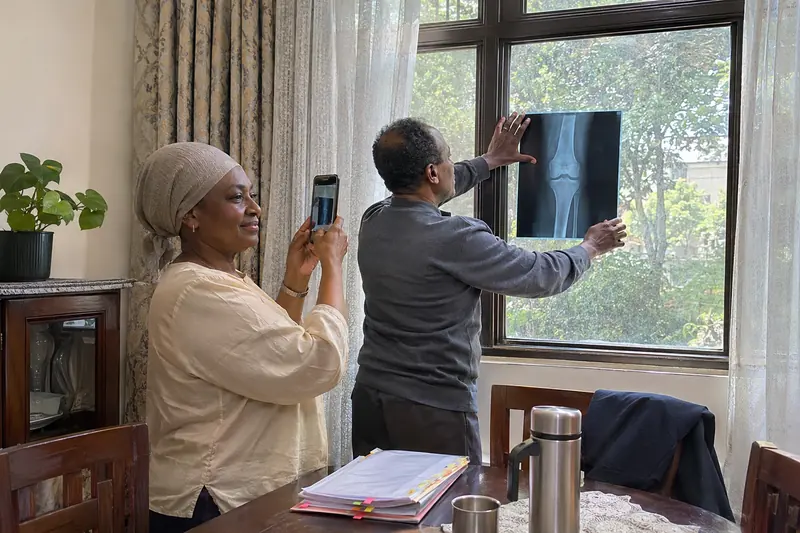
Large printed films, which some X-rays and older scans come as, can still be read if the photo is good. Hold the film against a bright window or a white computer screen so the light comes through it, and shoot straight on with the whole film in the frame. Switch off the flash, which leaves a white patch over the picture.
How do I photograph paper reports and lab results?
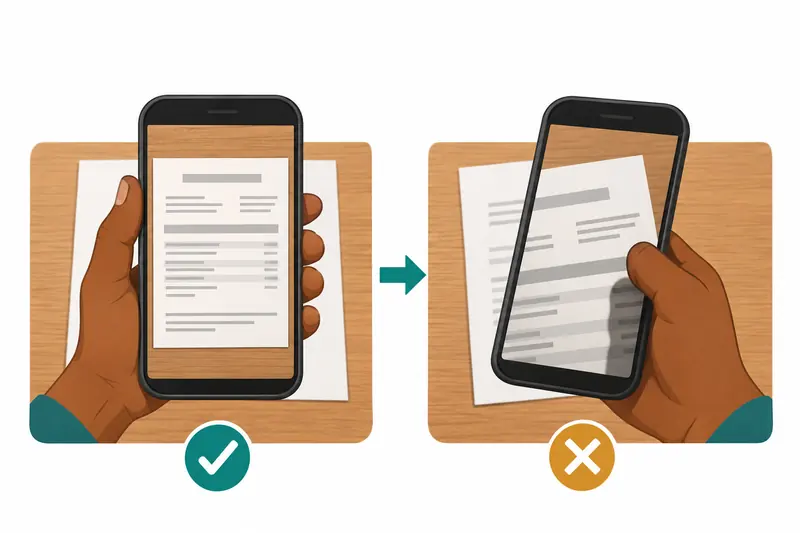
Blood tests, biopsy reports, doctor's letters and discharge summaries mostly come on paper. A phone photo is perfectly fine as long as it is sharp and shows the whole page. These steps work on almost any phone.
- 1Lay the page flat in daylight
On a table by a window, not under a lamp that throws a shadow.
- 2Hold the phone straight above
All four corners of the page inside the frame, nothing cut off.
- 3Check the photo before you send
Zoom in: can you read the smallest numbers and the date?
- 4One photo or PDF per page
Many phones have a free scan option in the camera or notes app.
- 5Send them in order, with a short note
Say whose reports they are and what each one is.
How recent should my scans and lab tests be?
It depends on the test and on your condition; there is no single rule. Blood results can change within weeks, so send the latest set. Scans change more slowly, but if your symptoms have changed since the last one, the doctor may ask for a new one. In cancer, recent scans matter more, because the plan depends on the size and spread of the disease today.
Send the older reports too, each with a clear date. A specialist reads the newest result first and uses the older ones to see the trend. Before surgery, the hospital in India usually repeats some blood tests and heart checks in its own laboratory anyway, so a few older results are not a problem. If a scan really does need repeating, the doctor will tell you, and you choose whether to do it at home or in India.
| Report | Send this | Why it matters |
|---|---|---|
| Blood tests | Your latest set, plus older ones if you have them | Results such as blood count or kidney function can change in weeks |
| X-ray, CT or MRI | The newest scan for the problem, with images and report | Shows the problem as it is now; older scans show how it has changed |
| Biopsy report | The full report, with IHC results if done | Confirms the diagnosis; it does not go out of date in the same way |
| Heart tests | Latest echocardiogram and ECG; the angiogram images | Show how well the heart works before any surgery is planned |
Keep the originals: Never post your only copy of a scan CD, X-ray film or biopsy slides. Send copies or photos for the review, and carry the originals in your hand luggage when you travel. If the hospital wants to re-test biopsy slides or tissue blocks, a coordinator explains how before anything is sent.
My reports are not in English: what should I do?
Get the key ones translated, and send the original with each translation. Doctors in India read reports in English. Reports from Nigeria, Kenya and Ghana are usually in English already; those from Oman, Ethiopia or Bangladesh are sometimes in Arabic, Amharic or Bengali.
An MRI looks the same in every language, so the images need no translation. The written parts do. For a first review, English versions of the key reports are normally enough: the doctor's letter, the scan reports and the biopsy report. A doctor who speaks both languages, a translator, or the clinic that wrote the report can often help. With the original next to the translation, names, dates and numbers can be checked.
If a formal or certified translation is ever needed, say for the hospital's own records, our team will tell you ahead of time.
How should I name and organise my report files?
Picture a doctor opening forty photos called IMG-2041, IMG-2042 and so on, guessing what each one is. A few minutes of sorting on your side makes the review quicker, and makes it less likely that something important is missed.
Make three groups: scans, blood and lab tests, and letters and summaries. Inside each group, put the newest first. If you can rename files, a short name with the date and the test works well, such as "2026-09 knee MRI report" or "2026-10 blood tests".
Send every page of a report, even pages that look empty or only show the laboratory's address. The radiologist's conclusion, or the normal ranges for your blood tests, sometimes sit on the very last page.
Messaging apps on your phone can shrink photos and sometimes cut large files. For scan images, a file-sharing link is safer. For paper reports, send the photos as documents rather than as pictures so they stay sharp.
Your final checklist before you send
Go down this list once your file is ready. It takes a few minutes and answers most of the questions we would otherwise have to send back to you.
Bring everything when you travel: the CDs, films and paper reports, and a copy of the whole file on your phone. The hospital will want to see them again when you arrive.